This is a demo store. No orders will be fulfilled.
What are the main features and key benefits of Kaspersky Standard Mobile Edition?
Real-Time Defense – Blocks malicious apps with smart behavior monitoring.
Phishing Protection – Detects risky links in browsers and messages.
App Lock – Locks private apps with code or fingerprint.
Anti-Theft Control – Helps locate, lock, and wipe lost phones.
Lightweight Performance – Runs smoothly without draining battery or speed.
Proactive Security – Continuous updates keep protection one step ahead.
Download: Kaspersky Standard Mobile Edition
Mobile Antivirus – Detects malicious apps before they can run.
Anti-Phishing – Blocks fake sites that steal passwords.
App Protection – Scans installs to prevent hidden malware.
Privacy Tools – Helps reduce tracking and risky permissions.
Anti-Theft – Locate, lock, or wipe a lost phone.
Protection Scope – Cloud, behavior, and signatures across mobile layers.
Kaspersky Standard Mobile Edition protects your phone from malicious apps, phishing scams, and unsafe websites. It adds practical privacy and anti-theft tools while staying lightweight on battery.
App Safety – Block malware apps before they install.
Phishing Block – Stop fake logins and scam pages fast.
Zero-Day Help – Use cloud checks for new threats.
Privacy Guard – Reduce risky permissions and tracking exposure.
Device Recovery – Locate, lock, and protect lost phones.
Low Battery – Runs quietly with minimal power impact.
Kaspersky’s mobile protection is consistently rated top-tier in independent Android tests.
High protection scores in AV-TEST Android evaluations.
Strong results across independent mobile security reviews.
Cloud reputation helps catch newly emerging malicious apps.
Behavior checks help identify suspicious app activity.
Yes, it uses cloud intelligence and behavior monitoring for new threats.
Cloud lookups speed up detection of unknown apps.
Behavior analysis flags suspicious patterns and abuse.
Web filtering reduces infection from malicious links.
Frequent updates improve coverage against new threats.
It helps block ransomware apps and malicious installers early.
Detects ransomware apps before they can run.
Stops risky downloads that deliver locker malware.
Blocks phishing links that lead to malware pages.
Helps reduce lock-screen extortion attempts.
No, mobile editions typically do not provide a full two-way firewall.
Android network controls are mainly handled by the OS.
Focus is on malware, phishing, and privacy layers.
Web protection helps reduce exposure to malicious traffic.
Use trusted Wi-Fi and keep Android updated.
Yes, it can warn and block many phishing and scam pages.
Anti-phishing blocks known scam domains and pages.
Safe browsing warns before opening risky websites.
Helps reduce credential theft on mobile logins.
Works alongside browser and Android protections.
Anti-Theft tools help protect your data if a phone is lost.
Locate the device to narrow down its position.
Lock the phone to prevent unauthorized access.
Wipe data when recovery is not possible.
Helps protect accounts and personal information.
No, VPN is typically offered as a separate service or higher tier bundle.
This edition focuses on mobile malware and phishing defense.
VPN is usually provided via Kaspersky VPN products.
Privacy policy explains what data may be processed.
Primary legal entity is based in Moscow, Russia.
They overlap heavily, but Internet Security Android typically adds more mobile controls.
Internet Security Android often includes call filtering features.
Both provide malware scanning and anti-phishing defenses.
Both can include anti-theft features for lost devices.
Naming can vary by store and region distribution.
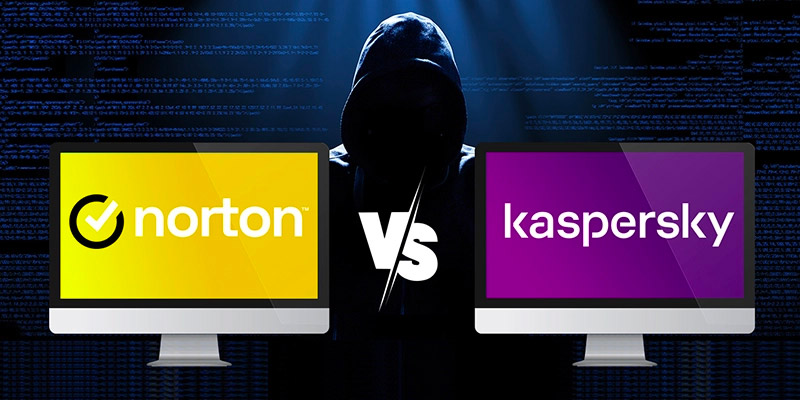
All are strong, but they differ in extras and automation style.
Kaspersky emphasizes anti-theft and privacy controls.
Bitdefender focuses on automation and streamlined settings.
Norton often bundles broader identity and web monitoring tools.
All use cloud-assisted detection for fast response.
"It caught a risky app install immediately on my phone."
"Phishing warnings saved me from a fake login page."
"It runs quietly and doesn’t drain my battery."
"Anti-theft tools make me feel safer while traveling."
"Setup was simple and the protection feels solid."
Instant delivery - Product keys and downloads available within minutes.
Activation guarantee - If activation fails, you receive a new key.
Download included - Secure official download link always provided after purchase.
Easy installation - Clear step-by-step instructions guide you through setup.
Genuine licenses - Product keys from audited, legally compliant distribution channels.
Multilingual support - Help in seven languages via chat, email, phone.
Easy exchanges - Problematic keys replaced quickly, without unnecessary bureaucracy.
Transparent pricing - No hidden fees. Fair prices and price plans to get even better prices.
Trusted seller - Top rated on Trustpilot.
| Operating Systems | Android 16 Baklava Android 15 Vanilla Ice Cream Android 14 Upside Down Cake Android 13 Tiramisu Android 12 Snow Cone Android 11 Red Velvet Cake Android 10 Quince Tart Android 9 Pie Android 8.0 Oreo Android 7.0 Nougat |
| Processor | Intel Atom x86 or ARMv7 and higher platforms |
| Memory RAM | Requirements met by any device running the supported OS version. |
| Hard Disk | 120 MB of free space in the device main memory |
| Display | Standard display compatible with the respective operating system |
| Protection Modules | Automatic Anti Virus real time protection for open files and new apps On demand scanning for the entire file system, installed apps, or selected files and folders Safe Browsing for malicious and phishing website blocking using Kaspersky Security Network Anti phishing link checks for supported scenarios |
| Note | Smartphone or tablet with a screen resolution of 320x480 pixels or higher required. App must be installed only to the device main memory. Supported operating systems may depend on your region and the app store listing. |
| Operating Systems | iOS 16.x to iOS 26.x iPadOS 16.x to iPadOS 26.x |
| Processor | Requirements met by any device running the supported OS version. |
| Memory RAM | Requirements met by any device running the supported OS version. |
| Hard Disk | 150 MB of free disk space |
| Display | Standard display compatible with the respective operating system |
| Protection Modules | Web Protection blocks malicious and phishing websites and scans sites before opening using Kaspersky Security Network Jailbreak detection |
| Note | Official documentation for the current Kaspersky for iOS app states iOS 16.x to iOS 26.x or iPadOS 16.x to iPadOS 26.x. Kaspersky app includes Kaspersky VPN Secure Connection functionality and you must uninstall one of the apps to use the other. Platform specific protection gap: official iOS documentation describes protection against phishing and web threats and does not list device wide malware scanning like Android. |