This is a demo store. No orders will be fulfilled.


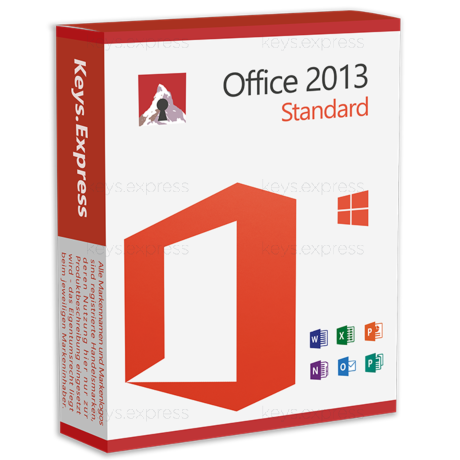
What are the key benefits and essential features of Microsoft Office 2010 Standard?
Familiar Interface – Uses Ribbon and Backstage for faster navigation.
Core Apps – Includes Word, Excel, PowerPoint, Outlook, OneNote, Publisher.
Enterprise Deployment – Supports OCT customization, GPO settings, silent installs.
Security Controls – Protected View helps reduce risky document attacks.
File Compatibility – Opens legacy formats and exports to PDF.
Important – Microsoft Visio and Microsoft Project not included.
Thank you for understanding our FAIRPLAY conditions:
You must have a customer account and have purchased products from us within the last twelve months.
Free products are available to each customer only once.
You may order a maximum of three free products.
This product is not posted to the MS account and is not transferable to other devices.
This product allows a one-time activation for one device. Once used, it cannot be used again, not even for the same device.
Download: Office 2010 Standard
Word 2010 – Document editor with customizable Ribbon and Backstage view.
Excel 2010 – Spreadsheets with Sparklines, Slicers and PivotTable filters.
PowerPoint 2010 – Slide creation with built-in video trimming and Broadcast Slide Show.
Outlook 2010 – Email, calendar and contacts with Conversation View threading.
OneNote 2010 – Digital notebook for meeting notes, clippings and research.
Publisher 2010 – Desktop publishing for flyers, brochures and newsletters.
Important – Microsoft Access, Teams, and OneDrive cloud services are not included in this edition.
Office 2010 Standard is the classic desktop productivity suite for users who need Word, Excel, PowerPoint, Outlook, OneNote and Publisher on a Windows PC. It is a one-time installation without any cloud subscription, designed for offline work and older Windows systems.
One-time install – Local applications without ongoing cloud subscription.
Publisher included – Layout tool for print materials, dropped in newer Standard editions.
Familiar Ribbon UI – Same interface buyers know from later Office versions.
Offline workflows – All editing works without an internet connection.
Legacy compatibility – Reads and writes .docx, .xlsx, .pptx as well as legacy .doc and .xls.
Older Windows support – Runs on Windows XP SP3, Vista, 7, 8 and 10.
It covers everyday document, spreadsheet, presentation, email and basic publishing tasks on a Windows PC. The suite contains Word, Excel, PowerPoint, Outlook, OneNote and Publisher as installed desktop applications. Excel 2010 introduced Sparklines (in-cell mini charts) and Slicers for filtering PivotTables, which speed up dashboard work compared with Office 2007. PowerPoint 2010 lets you trim embedded video directly inside a slide, removing the need for a separate video editor for short clips.
It suits users running legacy Windows installations or specific older line-of-business setups where newer Office versions are not certified. Typical cases include workshop PCs, industrial controllers and back-office machines on Windows XP SP3, Vista or Windows 7 that cannot move to Office 2019 or later. It also fits anyone who specifically needs Publisher 2010 alongside the core apps, since Publisher was removed from Office 2024 Standard. It is not the right choice for users who want current security patches, since Microsoft ended extended support on October 13, 2020.
Standard contains the core productivity apps, while Professional Plus adds database, forms and enterprise communication tools. Specifically, Professional Plus includes Microsoft Access (relational database), InfoPath (forms designer), SharePoint Workspace and Communicator on top of the same six Standard apps. If you do not maintain Access databases or use InfoPath forms, Standard covers the daily workload without those extra components.
| Application | Standard 2010 | Professional Plus 2010 |
|---|---|---|
| Word, Excel, PowerPoint, Outlook | ✓ | ✓ |
| OneNote | ✓ | ✓ |
| Publisher | ✓ | ✓ |
| Access | ✕ | ✓ |
| InfoPath | ✕ | ✓ |
| SharePoint Workspace | ✕ | ✓ |
| Communicator | ✕ | ✓ |
Office 2010 Standard is a fixed local installation with the feature set frozen at its 2010 release plus service-pack updates, while Microsoft 365 is a continually updated cloud subscription. Microsoft 365 adds Teams, OneDrive storage, Copilot, web versions of the apps and ongoing security updates that Office 2010 no longer receives after October 13, 2020. Office 2010 keeps Publisher as a desktop app, which Microsoft 365 plans no longer offer for new installs. If your work runs offline, on isolated networks or on Windows 7-era hardware, the 2010 suite still functions; if you need current security patches, modern collaboration or AI features, it does not.
Microsoft ended extended support for Office 2010 on October 13, 2020, so the suite no longer receives security updates or bug fixes. Outlook 2010 may have trouble connecting to modern Microsoft 365 Exchange mailboxes that require newer authentication protocols. Access, InfoPath and SharePoint Workspace are not part of the Standard edition, so Access databases cannot be opened or maintained with this package alone. Co-authoring and Office Web Apps in 2010 depend on SharePoint or the original Windows Live/OneDrive infrastructure and are not equivalent to current Microsoft 365 cloud co-authoring.
It uses the Office Open XML formats (.docx, .xlsx, .pptx) as its default and still opens the legacy binary formats (.doc, .xls, .ppt) as well as OpenDocument Format (ODF 1.1). The suite ships in both 32-bit and 64-bit versions; the 64-bit build supports Excel workbooks larger than 2 GB, but some older COM add-ins only work with the 32-bit build. Office 2010 is the last Office version to install natively on Windows XP SP3 and Windows Vista SP1, and it also runs on Windows 7, 8 and 10. It is not officially supported on Windows 11.
Confirm that none of the documents you handle require Access databases or InfoPath forms, since both are missing from this edition. Check that the target machine runs Windows XP SP3 through Windows 10; Windows 11 is outside the supported range. If you rely on Outlook for a Microsoft 365 mailbox, verify that the mailbox still accepts the older Exchange connection methods Outlook 2010 uses, as Microsoft has been retiring legacy authentication. Also decide whether the lack of post-2020 security updates is acceptable for the use case, especially for internet-facing PCs.
| Operating Systems | Windows 7 Windows Vista Windows XP Windows Server 2008 R2 Windows Server 2008 Windows Server 2003 R2 |
| Processor | 500 MHz processor or faster. |
| Memory RAM | 256 MB. |
| Hard Disk | 3 GB of available disk space. |
| Display | 1024 x 576 screen resolution. |
| Graphics | Graphics hardware acceleration requires a DirectX 9.0c compatible graphics card with 64 MB or higher video memory. |
| Note | Windows XP requires SP3. Windows Vista requires SP1 or later. Windows Server 2003 R2 requires MSXML 6.0 installed. Support for Office 2010 ended on October 13, 2020. |
keys.express and keys.discount are online platforms for product keys. The product keys available in our shops for Windows and other software are inexpensive, secure, legal and come with an activation guarantee.
Below you will find the most important legal information about our products.
We offer exclusively unused and non-activated product keys. The keys have never been redeemed for activation and are fully available to the purchaser for the first-time activation of the respective product. A key that has already been redeemed could no longer be used for a new activation and is therefore not offered by us.
Trading in these product keys is permissible in the European Union and in Switzerland under current case law, provided that the necessary conditions are met. These conditions are as follows:
This trade is legally permissible because the underlying license was already placed on the market with the consent of the rightholder within the EU/EEA or Switzerland in return for appropriate remuneration. As a result, the so-called principle of exhaustion has taken effect, which permits the resale of individual product keys — in particular those originating from volume license agreements. Microsoft or the respective software provider has already received appropriate remuneration for this.
keys.express and keys.discount ensure that the aforementioned conditions are met and that the lawful use of the software is guaranteed. The requirements arising from European legislation are also observed in Switzerland.
Important note: The acquisition of a product key through the transmission of a combination of numbers and letters in digital form does not, in itself, constitute a license for the lawful use of the program. The license only arises from the respective installation and the associated acceptance of the manufacturer's terms of use.
Further information can be found here: