


This is a demo store. No orders will be fulfilled.
What are the main features and advantages of Microsoft Office 2021 Standard MacOS?
Perpetual License – Pay once and keep using desktop apps.
Core Apps – Word, Excel, PowerPoint, Outlook, OneNote included.
macOS Support – Supported on three latest macOS versions.
Offline Work – Create and edit files without internet access.
File Compatibility – Share documents smoothly with Windows Office users.
Important – Microsoft Access, Microsoft Publisher, Microsoft Visio, Microsoft Project not included.
This product is not posted to the MS account and is not transferable to other devices.
This product allows a one-time activation for one device. Once used, it cannot be used again, not even for the same device.
Download: Office 2021 Standard MacOS
Word 2021 – Document editor with co-authoring and Sketched outline styles.
Excel 2021 – Includes XLOOKUP, dynamic arrays, and LET function.
PowerPoint 2021 – Morph transitions, SVG icons, and 3D model support.
Outlook 2021 – Mail, calendar, and contact management with rules.
OneNote – Note container synced through a Microsoft account.
Important – Microsoft Access and Microsoft Publisher are not included.
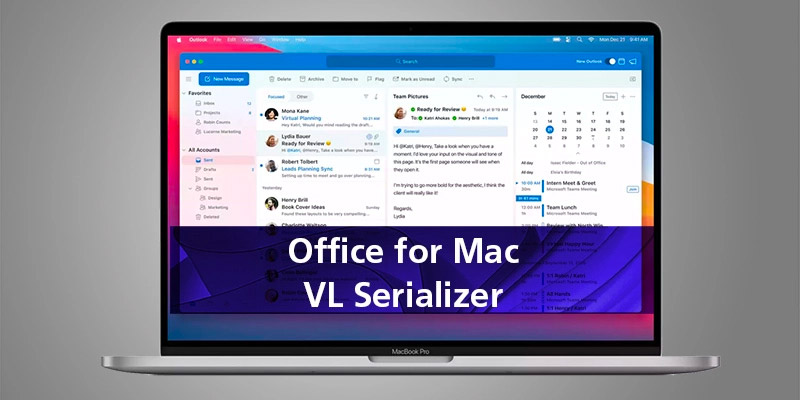
Office 2021 Standard for Mac is the perpetual, on-premises office suite for macOS users who want the core Office applications without a Microsoft 365 subscription. It is a fixed, locked-in-time release that ships through the standard Apple .pkg installer.
One-time install – No recurring sign-in to keep apps working.
Native Apple Silicon – Runs natively on M-series and Intel Macs.
Familiar file formats – Opens existing .docx, .xlsx, .pptx without conversion.
Excel modern formulas – XLOOKUP and dynamic arrays replace nested IFs.
Outlook offline – Local mail store works without a 365 mailbox.
Mac integration – Continuity Camera, dark mode, and Touch Bar support.
Office 2021 Standard for Mac is a perpetual desktop productivity suite built for macOS, covering writing, spreadsheets, presentations, email, and notes. Word, Excel, PowerPoint, Outlook, and OneNote are installed locally, so files stay on the Mac and do not require a Microsoft 365 cloud mailbox or OneDrive account to open. Excel 2021 introduces XLOOKUP, dynamic arrays, and the LET function, which let you replace deeply nested VLOOKUP and IF formulas in real finance and reporting sheets. Because it is a locked-in-time release, the feature set does not change after install, which is useful when templates, macros, or audit workflows must behave identically over years.
It fits Mac users in organisations that need a stable, non-subscription Office build with Outlook for daily work. Typical use cases are agencies, design studios, accountants, legal offices, and education staff who run mixed macOS fleets and exchange .docx and .xlsx files with Windows colleagues. Because Outlook is included alongside Word, Excel, PowerPoint, and OneNote, users can manage IMAP, POP, or Exchange mail directly on macOS without buying Outlook separately or moving to Microsoft 365. It is less suitable for teams that depend on real-time co-authoring through OneDrive or Teams chat as their main collaboration layer.
Compared with Office 2021 Home & Student for Mac, Standard adds Outlook for email and calendaring; compared with Home & Business for Mac, it is the commercial-track edition aimed at business installations. Compared with Office 2021 Professional Plus on Windows, Standard for Mac never includes Access or Publisher, because those two applications are not built for macOS. The Excel, Word, and PowerPoint feature sets across the 2021 editions are otherwise the same locked-in-time release.
| Application | Home & Student Mac | Home & Business Mac | Standard Mac |
|---|---|---|---|
| Word | ✓ | ✓ | ✓ |
| Excel | ✓ | ✓ | ✓ |
| PowerPoint | ✓ | ✓ | ✓ |
| OneNote | ✓ | ✓ | ✓ |
| Outlook | ✕ | ✓ | ✓ |
| Access | ✕ | ✕ | ✕ |
| Publisher | ✕ | ✕ | ✕ |
Microsoft Teams is included with Office 2021 for Mac as the default chat and meetings client, replacing the older Skype for Business client. Skype for Business for Mac remains available only as a separate optional download for organisations still using the on-premises Skype for Business server. Teams itself is also free as a standalone Mac app, so the inclusion is mainly a convenience: users get one installer that already bundles it. Sign-in to Teams still requires a separate Microsoft 365 or Teams account; the Office 2021 product key does not unlock paid Teams features.
Microsoft Access and Microsoft Publisher have never been released for macOS, so no Mac edition of Office 2021 includes them. The closest cross-platform alternative for Access databases is opening Access files in Excel or running Access inside a Windows VM, Parallels, or Boot Camp on Intel Macs. For Publisher-style layout work on Mac, users typically rely on PowerPoint, Word with text boxes, or Apple Pages. Buyers moving from Office Professional on Windows should not expect these two applications to appear on macOS at any point.
Office 2021 Standard is a perpetual, locked-in-time release, while Microsoft 365 is a subscription that keeps receiving new features and includes services such as Exchange Online and SharePoint Online. Office 2021 on Mac does not get the steady stream of new Word, Excel, and PowerPoint features that 365 receives; the feature set is fixed at the 2021 baseline. In return, the apps keep working offline and do not depend on a renewing 365 plan to stay open. The right choice depends on whether the workflow needs the latest cloud-tied features and a 365 mailbox or just a stable local Office install.
Confirm the Mac is running one of the three most recent macOS versions, because Microsoft supports Office for Mac only on those releases and drops the oldest when a new macOS ships. Check that the workflow does not depend on Access databases or Publisher layouts, since those applications are Windows-only and cannot be installed on macOS. If the team relies on real-time co-authoring through OneDrive or a Microsoft 365 mailbox, decide whether the locked feature set of 2021 is acceptable for the next few years. Also verify that any third-party add-ins or macros used in Word, Excel, or Outlook have macOS-compatible versions, because not every Windows add-in has a Mac build.
| Operating Systems | From macOS Mojave 10.14 to macOS Sonoma 14 |
| Processor |
Intel or Apple silicon Mac.
|
| Memory RAM |
4 GB.
|
| Hard Disk |
10 GB of available disk space.
|
| Display |
1280 x 800.
|
| Graphics |
No graphics requirements.
|
| NET Version |
Not applicable.
|
| Note |
Internet functionality requires an internet connection; fees may apply.
|
keys.express and keys.discount are online platforms for product keys. The product keys available in our shops for Windows and other software are inexpensive, secure, legal and come with an activation guarantee.
Below you will find the most important legal information about our products.
We offer exclusively unused and non-activated product keys. The keys have never been redeemed for activation and are fully available to the purchaser for the first-time activation of the respective product. A key that has already been redeemed could no longer be used for a new activation and is therefore not offered by us.
Trading in these product keys is permissible in the European Union and in Switzerland under current case law, provided that the necessary conditions are met. These conditions are as follows:
This trade is legally permissible because the underlying license was already placed on the market with the consent of the rightholder within the EU/EEA or Switzerland in return for appropriate remuneration. As a result, the so-called principle of exhaustion has taken effect, which permits the resale of individual product keys — in particular those originating from volume license agreements. Microsoft or the respective software provider has already received appropriate remuneration for this.
keys.express and keys.discount ensure that the aforementioned conditions are met and that the lawful use of the software is guaranteed. The requirements arising from European legislation are also observed in Switzerland.
Important note: The acquisition of a product key through the transmission of a combination of numbers and letters in digital form does not, in itself, constitute a license for the lawful use of the program. The license only arises from the respective installation and the associated acceptance of the manufacturer's terms of use.
Further information can be found here: