

This is a demo store. No orders will be fulfilled.
What are the main features and advantages of Windows Server 2008 R2 Standard?
Legacy Stability – Keeps older apps running on trusted server platform.
Role Support – Runs core roles like DNS and file sharing.
Hyper-V Virtualization – Supports virtualization for small server consolidation needs.
Domain Services – Provides Active Directory services for user management.
Remote Access – Enables remote administration with built-in management tools.
Broad Compatibility – Works with many older drivers and applications.
Thank you for understanding our FAIRPLAY conditions:
You must have a customer account and have purchased products from us within the last twelve months.
Free products are available to each customer only once.
You may order a maximum of three free products.
Download: Server 2008 R2 Standard
Active Directory – Run domain controller, DNS, and file roles.
Hyper-V Virtualization – Host one Windows VM per license.
IIS 7.5 – Serve internal web apps and sites.
Remote Desktop – Enable RemoteApp and DirectAccess client sessions.
64-bit Platform – First x64-only Windows Server release.
Important – Unlimited Virtual Machines, Storage Spaces Direct, and Client Access Licenses (CALs) are not included in this edition.
Windows Server 2008 R2 Standard is a 64-bit server operating system for small and mid-sized networks that need Active Directory, file, print, and basic Hyper-V roles. It uses the Server plus CAL licensing model, so each connecting user or device still needs a separate CAL.
Familiar Roles – Domain, file, print, and DNS in one box.
Single VM – One physical plus one virtual instance per license.
Legacy Support – Runs older line-of-business apps that block upgrades.
Hyper-V Included – Add the role without buying a separate hypervisor.
Downgrade Friendly – Hosts Windows Server 2003 guests for migration steps.
Lean Footprint – Modest hardware needs suit isolated or test servers.
It provides core network infrastructure roles such as Active Directory Domain Services, DNS, file and print sharing, IIS 7.5 web hosting, and Hyper-V on a 64-bit-only platform. Standard supports up to 32 GB of RAM and four physical processors, which caps how much it can scale on a single host. In daily work, it lets a small office centralize logins, group policy, and shared folders without a larger Enterprise or Datacenter purchase. Because the R2 release dropped 32-bit support entirely, every driver and application you run on it must have a 64-bit-compatible version. This makes it suitable for keeping a defined legacy workload running rather than building new large-scale infrastructure.
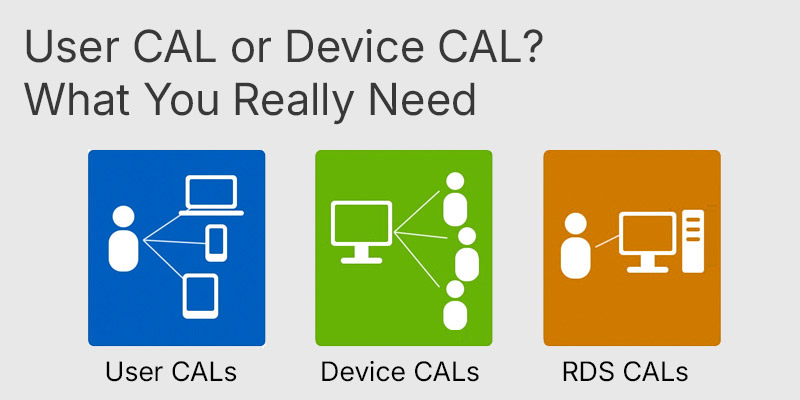
User CAL or Device CAL: What You Really Need
Explains when a User CAL or Device CAL is the more cost-effective choice when upgrading to the Standard edition.
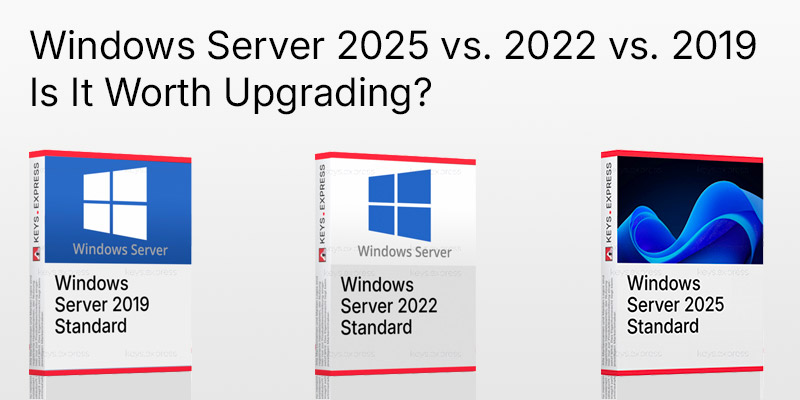
End of Support for Windows Server 2022: Windows Server 2025 vs. 2022 vs. 2019: Is It Worth Upgrading?
Compares the 2019, 2022, and 2025 releases to help determine whether upgrading to the latest version is worthwhile.
One Standard license covers one physical instance plus one virtual guest instance running at the same time (a 1+1 right). To run a second Windows VM on the same host under Standard, you must assign a second Standard license. If you need many Windows guests on one host, Enterprise (four VMs) or Datacenter (unlimited VMs) is the correct edition, not Standard. This 1+1 limit is the single most common reason buyers pick the wrong edition, so confirm your planned VM count before you buy. Storage Spaces Direct and Shielded VMs do not exist in this version at all; both were introduced years later in Windows Server 2016.
No. The server license permits installation, but every user or device that connects to the server still needs a separate Windows Server CAL under the Server plus CAL model. Remote Desktop session use requires an additional RDS CAL on top of the standard CAL, and Rights Management use requires an RMS CAL. Plan your CAL purchase based on whether you license by user or by device, since the two CAL types are counted differently. A common buyer mistake is assuming the server license alone makes the deployment compliant for all connecting clients, which it does not.
Standard caps out at 32 GB RAM, four processors, and a single virtual instance, and it does not include Failover Clustering. Enterprise raises this to 2 TB RAM, eight processors, four virtual instances, and adds clustering and cross-file replication. Datacenter targets dense virtualization with unlimited virtual instances and up to 64 processors. The table below summarizes the differences buyers ask about most when choosing an edition in the 2008 R2 family.
| Feature | Standard | Enterprise | Datacenter |
|---|---|---|---|
| Virtual instances | 1 | 4 | Unlimited |
| Max RAM | 32 GB | 2 TB | 2 TB |
| Max processors | 4 | 8 | 64 |
| Failover Clustering | ✕ | ✓ | ✓ |
| Licensing model | Server + CAL | Server + CAL | Processor + CAL |
Confirm that your application genuinely requires this specific version, because mainstream and extended support both ended, with the final Extended Security Updates expiring in January 2023 for non-Azure systems. Check that all hardware drivers and applications have 64-bit versions, since R2 dropped 32-bit support completely. Verify your VM count fits the 1+1 limit and that you have enough CALs for every connecting user or device. This edition is best kept as an isolated host for a legacy workload that cannot move to a newer Windows Server release, rather than as a server exposed to untrusted networks.
| Processor | Minimum 1.4 GHz x64 processor. Recommended 2 GHz or faster. |
| Memory RAM | Minimum 512 MB. Recommended 2 GB or more. Maximum 32 GB. |
| Hard Disk | Minimum 10 GB. Recommended 40 GB or more. Additional disk space may be required for paging, hibernation, and dump files. |
| Display | Super VGA 800 x 600 or higher-resolution monitor. |
| Note | DVD-ROM drive required. Keyboard and mouse or compatible pointing device required. .NET Framework 3.5.1 can be enabled as a Windows Server feature. Internet access required for updates and online activation. |
keys.express and keys.discount are online platforms for product keys. The product keys available in our shops for Windows and other software are inexpensive, secure, legal and come with an activation guarantee.
Below you will find the most important legal information about our products.
We offer exclusively unused and non-activated product keys. The keys have never been redeemed for activation and are fully available to the purchaser for the first-time activation of the respective product. A key that has already been redeemed could no longer be used for a new activation and is therefore not offered by us.
Trading in these product keys is permissible in the European Union and in Switzerland under current case law, provided that the necessary conditions are met. These conditions are as follows:
This trade is legally permissible because the underlying license was already placed on the market with the consent of the rightholder within the EU/EEA or Switzerland in return for appropriate remuneration. As a result, the so-called principle of exhaustion has taken effect, which permits the resale of individual product keys — in particular those originating from volume license agreements. Microsoft or the respective software provider has already received appropriate remuneration for this.
keys.express and keys.discount ensure that the aforementioned conditions are met and that the lawful use of the software is guaranteed. The requirements arising from European legislation are also observed in Switzerland.
Important note: The acquisition of a product key through the transmission of a combination of numbers and letters in digital form does not, in itself, constitute a license for the lawful use of the program. The license only arises from the respective installation and the associated acceptance of the manufacturer's terms of use.
Further information can be found here: