This is a demo store. No orders will be fulfilled.

What are the main features and advantages of Ashampoo Photo Optimizer?
Auto Enhancement – Improves colors, contrast, and exposure instantly.
Batch Editing – Optimizes many photos quickly with minimal effort.
Portrait Tools – Fixes red eyes and enhances facial details.
Manual Adjustments – Gives precise control over crop and perspective.
Simple Workflow – Keeps photo editing fast and easy.
Creative Freedom – Supports lasting photo quality for everyday projects.
Download: Ashampoo Photo Optimizer
Auto optimization – Improves exposure, color, contrast, and sharpness automatically.
Batch editing – Processes multiple images in one pass.
LUT effects – Applies artistic color looks instantly.
Perspective correction – Fixes tilted lines and distorted buildings.
Favorites access – Keeps often-used tools ready faster.
Core Capacity – Version 10 includes 30+ LUTs, version 11 adds 15 more.
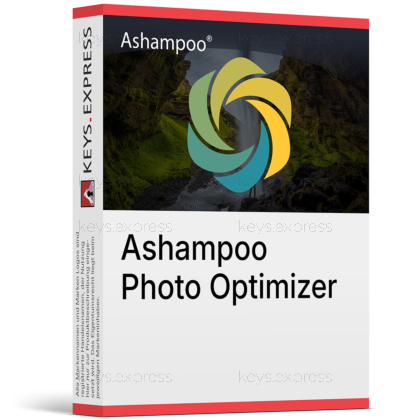
Ashampoo Photo Optimizer is a multimedia photo editing tool built for quick image enhancement and light manual correction. It is designed for users who want better photos without the overhead of a full studio editor.
Faster editing – Improves photos with minimal manual effort.
Easy workflow – Keeps tools simple and quickly reachable.
Better colors – Enhances white balance and contrast automatically.
Creative looks – Adds LUT moods and visual styles.
Batch savings – Optimizes entire folders more efficiently.
Clean interface – Stays accessible for beginners and casual users.
Both versions focus on one-click enhancement and simple correction tools, but version 11 expands the LUT feature set.
Version 10 introduced LUT support, perspective correction, Favorites, and batch processing.
Version 11 keeps those core functions and adds 15 brand-new LUTs.
Version 11 also adds a new LUT management system for easier organization and import.
| Feature | Ashampoo Photo Optimizer 10 | Ashampoo Photo Optimizer 11 |
| Auto optimize | ✓ | ✓ |
| Batch edit | ✓ | ✓ |
| Perspective | ✓ | ✓ |
| Favorites | ✓ | ✓ |
| Built-in LUTs | 30+ | 45+ |
| LUT manager | – | ✓ |
Ashampoo Photo Optimizer is simpler and quicker for one-click correction, while Lightroom offers a much deeper photography workflow.
Ashampoo focuses on fast enhancement, filters, and light manual correction.
Lightroom is stronger for cataloging, masking, and advanced RAW workflows.
Ashampoo is better suited to users who want fewer controls and faster results.
Lightroom is better suited to users managing large professional photo libraries.
It is built for photo correction and creative image styling, with support for LUT-based looks and common image editing tasks.
Version 10 supports LUT import and includes more than 30 built-in LUTs.
Version 11 includes 15 additional LUTs and improved LUT management.
Both versions handle crop, rotate, perspective correction, and color-related edits.
The product targets still-image enhancement, not video editing or layered compositing.
Yes, both version 10 and version 11 support batch optimization for multiple images.
You can optimize whole folders in one run.
This is useful for vacation, event, and archive photo sets.
Batch processing is a core time-saving feature in both listed versions.
It is especially helpful when the same correction style is needed across many shots.
Yes, the program is built around quick automatic enhancement and a straightforward interface.
Functions are grouped into simple categories.
Favorites can reduce navigation for frequently used tools.
The split preview makes before-and-after checks easier.
Both version 10 and 11 are aimed at users who want fast results.
It does not replace a full professional editor built for layers, asset management, or advanced retouching pipelines.
The product focuses on optimization, corrections, effects, and quick export tasks.
It is not positioned as a deep compositing or studio workflow platform.
Users needing advanced masking or extensive RAW management may need a larger editor.
Its main strength is speed and simplicity for still photos.
"The one-click photo optimize button does a surprisingly good job on everyday images."
"Its tidy and minimalist interface makes quick edits much easier."
"I optimized hundreds of photos with it, and the whole process stayed easy to manage."
"For fast adjustments to a batch of pictures, it does the job admirably."
Instant delivery - Product keys and downloads available within minutes.
Activation guarantee - If activation fails, you receive a new key.
Download included - Secure official download link always provided after purchase.
Easy installation - Clear step-by-step instructions guide you through setup.
Genuine licenses - Product keys from audited, legally compliant distribution channels.
Multilingual support - Help in seven languages via chat, email, phone.
Easy exchanges - Problematic keys replaced quickly, without unnecessary bureaucracy.
Transparent pricing - No hidden fees. Fair prices and price plans to get even better prices.
Trusted seller - Top rated on Trustpilot.