This is a demo store. No orders will be fulfilled.
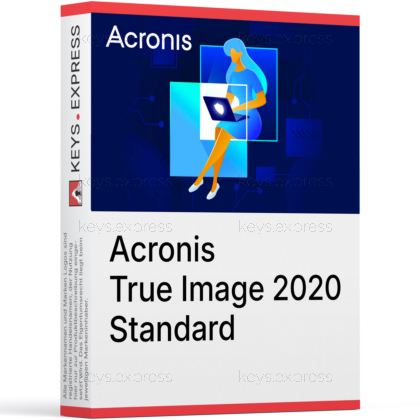
What are the key benefits of Acronis True Image 2020 Standard?
Full image backup – Backs up entire system, not just files.
Disk cloning – Clone drives easily when upgrading to SSD.
Ransomware protection – Built-in shield stops unauthorized encryption of data.
Flexible storage – Save backups to local disks or NAS.
Incremental backups – Only changed data is saved, speeding backups.
Bare-metal restore – Recover full system to new hardware quickly.
Download: Acronis True Image 2020
Acronis True Image 2020 Standard is a perpetual-license backup solution that creates full image and file-level backups of your Windows or macOS system for fast recovery after failures.
Designed for home users and very small offices.
Creates complete system images plus individual file and folder backups.
Stores backups on local disks, external drives or NAS shares.
Includes tools for cloning disks and migrating to new drives.
Offers built-in protection against ransomware tampering with backups.
In practice it is widely regarded as reliable for full-system backup and restore, provided backups are verified and test-restored periodically.
Proven track record over many product generations.
Verification options help ensure backup archives are not corrupted.
Bootable rescue media allows restores even if OS will not start.
Users often recommend regular test restores to non-critical hardware.
Reliability depends on healthy storage and consistent backup routines.
The Standard edition is a one-time purchase with local backup only, while subscription editions add cloud backup and extra cyber-protection features.
Standard: perpetual license tied to a specific version year.
Standard focuses on local and NAS backups, no included cloud space.
Advanced and Premium subscriptions bundle Acronis Cloud storage.
Subscriptions may add more active protection and cloud-based options.
Standard is ideal if you only need on-premises backup locations.
It can store backups on internal drives, external USB disks and most common NAS or network shares that your system can access.
Supports local internal HDDs and SSDs for quick access.
Works well with external USB drives for offline copies.
Can back up to SMB-compatible NAS devices on your network.
Allows rotating multiple backup destinations for extra resilience.
No dependency on proprietary cloud storage in the Standard edition.
Yes, it can create bootable rescue media so you can restore your system even when Windows or macOS does not start.
Builds rescue media on USB stick or optical disc.
Lets you boot directly into the Acronis recovery environment.
Supports restoring full-disk images and partitions from backups.
Essential for recovery after drive failure or severe corruption.
Admins on forums strongly recommend creating rescue media early.
On modern hardware its impact is generally modest, though full backups and validation runs can be noticeable on older or heavily loaded systems.
Incremental and differential backups reduce daily workload.
Scheduling allows backups outside of business hours.
CPU and disk usage increase mainly during active backup tasks.
Solid-state drives significantly improve backup and restore times.
Background services are usually unobtrusive if configured sensibly.
It is fully at home on Windows 10 and, while many users report success on newer versions, official compatibility focuses on the systems it originally supported.
Originally designed and tested for Windows 10 and contemporary macOS.
Often continues to run on later Windows builds in the field.
Using older backup software on newer OSes may be unsupported.
Best practice is to verify backups and restores after OS upgrades.
Some users keep a stable, dedicated backup machine on a known-good OS.
Compared to popular alternatives, it stands out for its broad feature set and polished interface, while others may offer lighter footprint or different licensing models.
Acronis provides disk imaging, file backup, cloning and anti-ransomware in one.
Macrium Reflect is often praised for lean design and focused imaging.
Veeam Agent appeals to admins who already use Veeam in server environments.
Choice usually depends on UI preference, features needed and budget.
Many admins test two or three tools before standardizing on one.
Operating System: Windows 10 / 8.1 / 8 / 7 SP1 / Home Server 2011
Processor: 1 GHz or faster, x86 or x64, with SSE support
Memory (RAM): 1 GB (32-bit) or 2 GB (64-bit)
Storage: 1.5 GB of free hard-disk space for installation
Screen Resolution: Minimum 1024 × 768
Internet: Required for download, installation, activation, updates, and Acronis Cloud features
Supported File Systems: Windows: FAT16/32, NTFS, Ext2/Ext3, Ext4, ReiserFS, Linux SWAP
Only for disk/partition backups and recovery operations
Only without resizing
Unsupported or damaged file systems can be backed up sector-by-sector
Operating System: macOS 10.14 / 10.13 / 10.12 / 10.11
Processor: Intel-based Mac with 64-bit processor
Memory (RAM): 4 GB or higher
Storage: 1.5 GB of free hard-disk space for installation
Screen Resolution: Minimum 1024 × 768 (recommended)
Internet: Required for download, installation, activation, and updates
Supported File Systems: APFS, HFS+, Core Storage, FAT32, NTFS (including Boot Camp – read/write limitations apply)
Operating System: Android 4.1 or later
Screen Resolution: Minimum 320 × 480
Internet: Required for download, installation, activation, and updates
Operating System: iOS 8.0 or later (iPhone, iPad, iPod touch)
Internet: Required for download, installation, activation, and updates