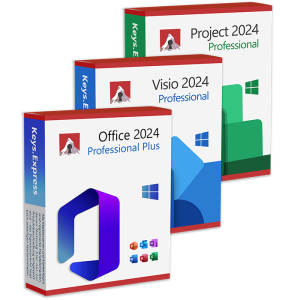
What is included in Microsoft Office 2024 Professional Plus?
Word - create and edit professional documents, reports and contracts.
Excel - analyze data with formulas, pivot tables, charts and automation.
PowerPoint - build persuasive presentations with visuals, animations and notes.
Outlook - manage email, calendars, contacts and tasks in one place.
OneNote - capture notes, ideas and meeting minutes in structured notebooks.
Access - design and use custom databases for line-of-business applications.
Important: Publisher is not included in Microsoft Office 2024 Professional Plus, and there is no separate desktop publishing application in this suite.
How is Microsoft Office 2024 Professional Plus licensed and supported?
Microsoft Office 2024 Professional Plus is licensed as a perpetual, device-based Office suite with a defined support lifecycle for security and reliability updates.
One-time purchase for the licensed PC, no ongoing subscription fees.
Device-focused licensing model that fits classic on-premises deployment scenarios.
Regular security and quality updates during the official support period.
Designed for organizations that prefer a stable, slowly changing Office environment.
What is the difference between Microsoft Office 2024 Professional Plus and Microsoft 365?
The key difference is that Office 2024 Professional Plus is a fixed-feature perpetual suite, while Microsoft 365 is a subscription with continuously delivered features and cloud services.
Office 2024 Professional Plus: one-time license, fixed feature set, local installation.
Microsoft 365: recurring subscription, frequent new features, cloud storage and services included.
Office 2024 Professional Plus runs fully on-premises and works without permanent internet access.
Microsoft 365 integrates deeply with OneDrive, Teams and other online services for collaboration.
What is the difference between Microsoft Office 2024 Professional Plus and Office 2021 Professional Plus?
Office 2024 Professional Plus offers newer-generation applications, performance improvements and an extended support window compared to Office 2021 Professional Plus.
Updated app versions with refinements in Word, Excel, PowerPoint, Outlook, OneNote and Access.
Better performance for large workbooks, big documents and complex presentations in daily use.
Longer security update horizon, so it stays supported for more years than Office 2021.
Designed to align with newer Windows versions and modern hardware capabilities.
Does Microsoft Office 2024 Professional Plus include Publisher?
No, Microsoft Office 2024 Professional Plus does not include Publisher, and Publisher is no longer part of the Office 2024 suite line-up.
Only Word, Excel, PowerPoint, Outlook, OneNote and Access are included in this edition.
Users who still require Publisher must rely on older Office versions where it is bundled.
This makes Office 2024 Professional Plus more focused on core productivity applications.
It also simplifies deployment by reducing the number of installed components.
Can Microsoft Office 2024 Professional Plus run offline on a single PC?
Yes, Office 2024 Professional Plus runs locally on the PC and works fully offline after installation and activation.
Core functions in Word, Excel, PowerPoint, Outlook, OneNote and Access do not require constant internet access.
Internet is needed only for download, activation and periodic update checks.
Files can be stored locally on the machine or on your own file servers.
Cloud-based collaboration features are optional rather than mandatory.
Which Windows versions are supported by Microsoft Office 2024 Professional Plus?
Microsoft Office 2024 Professional Plus is designed for modern, supported Windows versions such as Windows 10 and Windows 11 in typical business deployments.
Official documentation and licensing target current, supported Windows releases only.
Best practice is to run Office 2024 Professional Plus on Windows 11 for the longest combined support.
Legacy systems like Windows 7 or 8.1 are not supported for this Office generation.
64-bit installations are recommended for performance and compatibility with large files.
Can I install Microsoft Office 2024 Professional Plus alongside an older Office version?
It is technically possible in some scenarios, but most administrators discourage mixing Office 2024 Professional Plus with older Office versions on the same machine because of potential conflicts.
Shared components such as Outlook profiles and Office add-ins can behave unpredictably.
Different installation technologies and update channels may interfere with each other.
Side-by-side setups complicate troubleshooting and support obligations.
Cleanly uninstalling older Office versions before deploying Office 2024 Professional Plus is the safer strategy.
Is Microsoft Office 2024 Professional Plus suitable for Remote Desktop or terminal servers?
Yes, with the correct volume licensing, Office 2024 Professional Plus can be deployed on Remote Desktop Session Hosts or terminal servers for multi-user access.
Each accessing user or device must be properly licensed for Office 2024 Professional Plus.
Central deployment via standard enterprise tools simplifies maintenance and patching.
The fixed feature set is ideal for controlled, stable server environments.
Properly tuned profiles and add-ins help keep performance acceptable for many users.
How are updates and security patches delivered for Microsoft Office 2024 Professional Plus?
Security and reliability updates for Office 2024 Professional Plus are delivered through standard Microsoft update channels without frequent disruptive feature changes.
Updates can be managed via Windows Update, Microsoft Update or enterprise tools like WSUS and ConfigMgr.
Administrators can control when clients receive new patches to fit maintenance windows.
Only security and quality fixes are delivered, keeping the feature set stable over time.
Staying current with patches reduces vulnerabilities while preserving predictability.
Is Microsoft Office 2024 Professional Plus a good choice for businesses that dislike constant changes?
Office 2024 Professional Plus is particularly attractive for organizations that want a modern Office version without continuous feature churn and interface changes.
Fixed feature set means users are not confronted with monthly UI changes.
IT departments can document, test and train once and keep that baseline longer.
Perpetual licensing simplifies budgeting because there are no recurring subscription costs.
The suite still benefits from security updates, so it remains safe during its lifecycle.
Why can you safely shop a cheap key for Microsoft Office 2024 Professional Plus with us?
- You receive product keys that originate from verifiably clean, legally impeccable licensing channels.
- Your key and the corresponding download information are delivered almost in real time after successful payment.
- If activation of Microsoft Office 2024 Professional Plus fails despite correct installation, we will fix the issue or refund your money.
- A secure and tested download link for the Office 2024 installation files is always included with your order.
- Step-by-step installation instructions guide you from download to activation, so even non-experts can set up the suite quickly.
- If you have questions, our support team is available in 7 languages via e-mail, chat, contact form, telephone and WhatsApp.
- If you need to exchange or replace a key, our customer service handles the replacement quickly and without unnecessary bureaucracy.
- As a long-established software dealer with many years of experience, we live from satisfied repeat customers, not one-off sales.
- The price you see is the price you pay, with no hidden charges, because we want to welcome you as a long-term regular customer.
- More than 2800 reviews on Trustpilot with an average rating of 4.8 show how convincingly our customers rate our keys and our service.
All product information is provided without guarantee. Errors and technical changes reserved.
Binding information can be obtained directly from the manufacturer. Please check this before making your purchase.


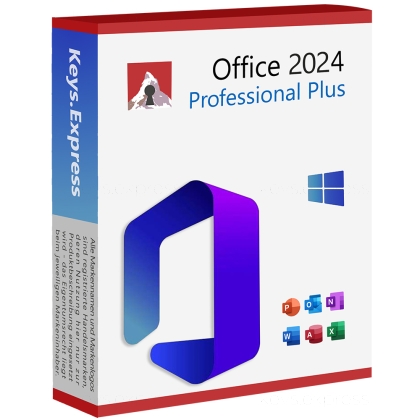

 Microsoft Office 2013 Professional Plus KeySpecial Price 0,00 € Regular Price 28,40 €
 Access 2016 Key19,90 €


 Microsoft Office 2021 Standard KeySpecial Price 29,50 € Regular Price 42,10 €
 Microsoft Office 2021 Standard Key (5 PC)Special Price 132,30 € Regular Price 189,00 €
 Microsoft Office 2021 Standard Key (50 PC)Special Price 805,40 € Regular Price 1.150,50 €
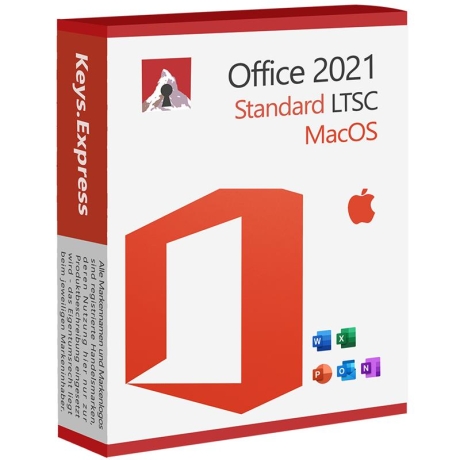 Microsoft Office 2021 Standard MacOS KeySpecial Price 59,10 € Regular Price 84,40 €
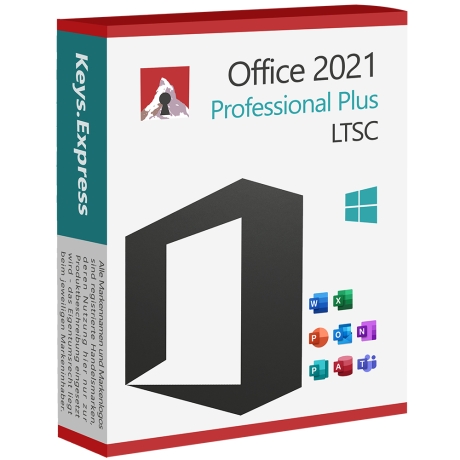 Microsoft Office 2021 Professional Plus KeySpecial Price 33,20 € Regular Price 47,40 €
 Microsoft Office 2021 Pro Plus Key (5 PC)Special Price 132,30 € Regular Price 189,00 €
 Microsoft Office 2021 Pro Plus Key (50 PC)Special Price 1.100,80 € Regular Price 1.572,60 €
 Microsoft Office 2021 Pro Plus Retail KeySpecial Price 44,20 € Regular Price 63,20 €