This is a demo store. No orders will be fulfilled.


SQL Server 2017 - 2025 Buying guide: How to understand license models, CALs and choose the right SQL product
February 01, 2026
Views:
14
Which license models apply for SQL Server 2017 to 2025?
Throughout all versions of SQL Server 2017, 2019, 2022 and 2025, the basic framework remains the same: there is the core-based model ("Per Core") and the "Server + CAL" model. Standard is often sold as Server+CAL because it can be attractively priced if access can be clearly counted. In practice, Enterprise is almost always licensed per Core because the model is simpler, more scalable and easier to plan for larger, dynamic environments.
What does "Per Core" mean in concrete terms and why is it so important for 2017-2025?
"Per Core" means, that computing power is licensed and not individual persons or devices. As soon as an environment is correctly licensed per core, no User CALs or Device CALs are required. The decisive factor is then no longer how many users have access, but how many CPU cores are subject to licensing. This model is particularly suitable for systems with a fluctuating or difficult to plan number of users, for example with many applications, services, external access, reporting or automation scenarios, as no ongoing relicensing and maintenance of CALs is required.
What does "Server + CAL" mean in technical and organizational terms?
"Server + CAL" means that a server licence is initially required for the installation and operation of the SQL Server, depending on the respective instance or environment. In addition, access licenses (CALs) are required for the users or devices that access this SQL Server. From an organizational point of view, this licensing model only makes sense and can only be implemented correctly if it can be clearly defined which users or devices have access and if this assignment is maintained permanently and reliably.
Is there a "1 user is included" or a kind of basic quota with the server+CAL model?
No. The server license only entitles you to install and operate SQL Server. Access to the server is a separate license area and must be licensed separately. With the "Server + CAL" model, all access must therefore be covered by suitable user or device CALs. A common mistake is to assume that the server license automatically includes a specific user group. In fact, the server license alone is not sufficient for access by users or devices.
What is a User CAL (and what does it cover in everyday life)?
A User CAL is assigned to a specific person. This person can access it from any number of devices: Desktop, laptop, remote session, thin client, even changing end devices. This is often the norm in modern environments because employees rarely use just one device. In practice, this means that as soon as a person (as a user) has or indirectly receives access, they are typically considered a User CAL candidate.
Technically, the User CAL is particularly advantageous in scenarios with many access paths, such as internal tools, BI systems, reports, APIs, service front-ends or administrative access. You do not have to check for each device whether additional access needs to be taken into account. If the user can be clearly identified, the User CAL is usually the more robust and less error-prone form of licensing.
What is a Device CAL (and why is it often the better choice anyway)?
A Device CAL is assigned to a specific device. The device is allowed to access SQL Server, regardless of how many people use this device. Typical examples are shift PCs, production terminals, checkout or storage locations, shared support stations, training rooms or kiosk systems. The device is the licensed unit, not the person.
Device CAL becomes strong in practice when there are many changing users but few fixed devices. If 30 people work alternately on 5 terminals, Device CAL is almost always more economical and much easier to document than 30 User CALs.
When is it better to sell Device CAL and when is it better to sell User CAL?
Device CALs typically make sense when workstations are used jointly, for example in shift work or at shared terminals, or when clearly defined devices are used by many people. User CALs, on the other hand, are suitable if individual employees use several devices, work remotely or if a person-related license logic is desired, in which not every additional end device has to be considered separately. If both usage scenarios exist in parallel, a mixed strategy is common and makes sense, for example user CALs for office and administration areas and device CALs for production or warehouses.
What bad purchases should you avoid as a customer?
Mistake purchase 1: Wrong license model selected (Server + CAL instead of Per Core or vice versa)
A very common mistake is when a clear distinction is not made as to whether an SQL Server is licensed in the "Server + CAL" or "Per Core" model. With the server plus CAL model, additional user or device CALs must be planned, whereas no CALs are required for core licensing. If this difference is overlooked, the necessary access licenses will be missing later or the selected model will be unnecessarily complicated and expensive for actual use.
Mistake purchase 2: Wrong choice between User CAL and Device CAL
Another typical mistake is the wrong choice between User CAL and Device CAL. User CALs are useful if individuals work with several devices or have flexible access. Device CALs are more suitable if several people use a shared device or terminal. If the access situation is not assessed realistically, either unnecessary additional costs or license gaps arise that have to be corrected later.
The most frequently asked questions about SQL Server 2017-2025, CALs and Core (with detailed answers)
1) Do I always need additional CALs with SQL Server Standard (Server + CAL)?
Yes. As soon as people or devices access an SQL Server, this access must be licensed via corresponding CALs. With the "Server + CAL" model, the server license only covers the installation and operation of the SQL Server. The actual access is licensed separately, either via User CALs or Device CALs. A common mistake is to assume that the server license alone is sufficient for initial tests or productive operation. In fact, all access must be correctly covered by CALs from the outset.
2) Do I still need user/device CALs at all with core licensing?
No. With correct core licensing, the issue of CALs is completely eliminated. Access to the SQL Server is no longer tied to individual users or devices, but only to the correctly licensed CPU cores. This means that you do not have to count whether access is direct or indirect, whether additional services are added or whether the number of internal or external users changes. The only decisive factor is that the hardware or virtual machine used is fully licensed according to core specifications.
3) Is SQL Server Enterprise "unlimited users"?
With SQL Server Enterprise, licensing is based on CPU cores. This means that if all required cores are licensed correctly, any number of users and devices can access the server. There are no user or device CALs in this model and therefore no fixed upper user limit. The only decisive factor is that the hardware or VM used is fully licensed by cores. This means that users do not have to count users or buy additional CALs as long as the core licensing is correct.
4) Can SQL Server Standard also be operated without CALs?
Yes, but only if SQL Server Standard is licensed per core. Whether CALs are required depends solely on the selected license model. If SQL Server Standard is used in the "Server + CAL" model, user or device CALs must also be available for all accesses. If, on the other hand, SQL Server Standard is licensed per core, no CALs are required, as access is fully covered by the licensed CPU cores.
5) Can you mix User CALs and Device CALs in the same environment?
Yes. In mixed environments, it is common and permissible to use User CALs and Device CALs in parallel. It is important that each access is uniquely and fully licensed. For example, you can cover users in the office, IT or administration via User CALs, while shared workstations or terminals in the warehouse are licensed via Device CALs. This combination is often the most economically viable solution, as it realistically reflects actual usage behavior and avoids unnecessary license costs.
6) Does indirect access via applications, APIs, web front-ends or middleware also count as requiring a CAL?
Yes. Indirect access also counts as access requiring a license. For example, if employees access data from SQL Server via an ERP system, a web application or middleware, these people are still considered to be accessing users. It does not matter whether the connection is technically bundled or established via an intermediary application. The decisive factor is that people or devices ultimately access SQL Server data - and this access must be covered by corresponding user or device CALs in the server + CAL model.
7) What does "multiplexing" mean and why is it relevant for CAL customers?
Multiplexing refers to technical mechanisms that bundle or reduce direct connections to SQL Server, for example through connection pooling, middleware, terminal servers, central application servers or reporting services. This often gives the impression that only the intermediate system needs to be licensed. However, this is not correct in terms of licensing law. If end users or end devices actually access SQL Server data via this intermediate layer, they are still considered to be accessing users or devices. In the Server-plus-CAL model, these accesses therefore remain fully subject to licensing, regardless of how many technical connections actually exist to the SQL Server.
8) With Server+CAL, is one CAL per server or per database sufficient?
No. CALs are access licenses, not "server add-on modules". A CAL is either per user or per device. The server is licensed separately. If a company operates several SQL servers, the "one CAL per server" approach is fundamentally wrong, because CALs are not "consumed" on a server-by-server basis, but represent access rights. For customer communication, it is better to explain this strictly as "access per user/device" and not in server units.
9) If I run SQL Server in a VM: does that change anything about CALs or the license model?
No, the basic principle does not change. If you use the "Server + CAL" model, access remains subject to CAL regardless of whether the SQL Server is operated physically or virtually. With core licensing, on the other hand, no CALs are required. In virtualized environments, it is primarily the assignment that changes: which virtual machine is licensed, how many vCores are relevant, how VMs move between hosts and how license compliance is documented. Whether CALs are necessary or not depends solely on the selected licence model, not on the virtualization.
10) What is the typical problem with external users (customers, partners, extranet)?
The central problem with external users is scaling and the clean countability of access. External user numbers often fluctuate, are difficult to clearly record or grow significantly with the use of a portal, customer area or extranet. In such scenarios, the server-plus-CAL model quickly becomes confusing and error-prone because every single access would have to be taken into account under licensing law. Core licensing is often the more robust solution here, as access does not have to be relicensed per external person and remains clear and traceable even if the number of users increases or changes.
11) What role do "minimum cores" play and why does this lead to false expectations?
With virtual machines, the expectation often arises that a very small VM can also be covered with a correspondingly small license, for example with two vCores. In licensing practice, however, there are minimum requirements and fixed core packages that apply regardless of the actual technical allocation. This means that the smallest license-compliant unit is often larger than the VM itself. This difference between the technical configuration and the minimum size under licensing law often leads to surprises. The decisive factor is therefore not only how many cores are assigned to a VM, but also the minimum number of cores that must be licensed according to the licensing rules.
Disclaimer
This article is for general information purposes only and does not constitute a sales or licensing recommendation. All information has been compiled to the best of our knowledge, but is provided without guarantee of completeness or accuracy. License conditions are subject to change and may be interpreted differently in individual cases. The content does not replace individual legal or licensing advice.
Disclaimer
This article is for general information purposes only and does not constitute a sales or licensing recommendation. All information has been compiled to the best of our knowledge, but is provided without guarantee of completeness or accuracy. License conditions are subject to change and may be interpreted differently in individual cases. The content does not replace individual legal or licensing advice.
February 01, 2026


Related Products
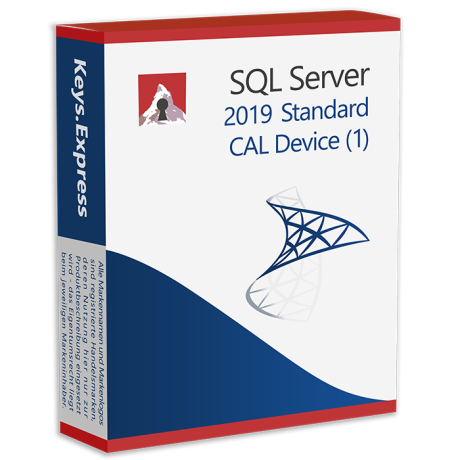
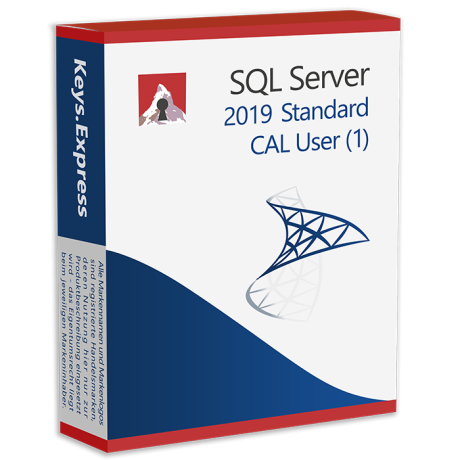
Microsoft SQL 2019 User CAL Key (1)
$ 171.20
Microsoft SQL 2017 User CAL Key (1)
$ 136.93


Microsoft SQL 2022 User CAL Key (1)
$ 205.46
Popular Posts


Back to Top






