Il s'agit d'un magasin de démonstration. Aucune commande ne sera honorée.

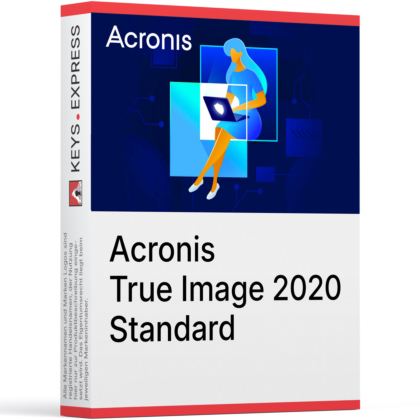
Download: Acronis True Image 2020
Image Backup – Creates full system and disk recovery copies.
Disk Cloning – Migrates drives without rebuilding your operating system.
Rescue Media – Boots recovery tools when Windows cannot start.
NAS Support – Backs up to network shares and NAS storage.
Active Protection – Helps block ransomware attacks on backup data.
Performance Metric – Uses AES-256 password-based backup encryption.
Acronis True Image 2020 Standard is a local backup and recovery solution for personal systems and home office workloads. It focuses on full image backup, disk cloning, bare-metal recovery, and built-in ransomware protection without cloud backup features.
Fast Recovery – Restores files, disks, or full systems locally.
Drive Migration – Simplifies SSD upgrades and hardware replacement tasks.
Local Control – Keeps backups on your chosen storage devices.
Crash Readiness – Includes recovery media for major system failures.
Ransomware Defense – Helps protect backups from malicious encryption attacks.
Simple Workflow – Combines backup, cloning, and restore in one.
It protects data through local backup, recovery, and anti-ransomware tools.
Creates full image and file-level backups
Stores backups on local drives, NAS, and network shares
Helps detect ransomware activity against protected data
Lets you recover files or the whole system after failure
Yes, it supports full system recovery to a new or empty disk.
Restores complete disk images after drive failure
Uses bootable rescue media for offline recovery workflows
Supports recovery of operating system, settings, apps, and files
Useful after crashes, corruption, or storage replacement
Yes, disk cloning is included for direct migration tasks.
Clones system drives for hardware replacement projects
Useful for SSD upgrades without reinstalling Windows
Supports full disk migration alongside backup features
Works best when source and target sector sizes match
Acronis True Image 2020 is available in Standard, Advanced, and Premium editions.
| Feature | Acronis True Image 2020 Standard | Acronis True Image 2020 Advanced | Acronis True Image 2020 Premium |
| Local backup | ✓ | ✓ | ✓ |
| Cloud backup | – | ✓ | ✓ |
| Active Protection | ✓ | ✓ | ✓ |
| M365 backup | – | ✓ | ✓ |
| Acronis Notary | – | – | ✓ |
| Acronis ASign | – | – | ✓ |
This edition excludes several cloud-based and higher-tier features.
No Acronis Cloud backup or off-site replication
No Microsoft 365 backup support
No blockchain notarization or electronic signing tools
Higher editions add cloud storage and authenticity features
It is designed for image-based local recovery and offline restore scenarios.
Backs up operating system, files, settings, and boot data
Supports rescue media for recovery outside Windows
Recovers individual files or full system images
Uses encrypted backups for protected local storage
"The cloning feature made my SSD upgrade much easier than reinstalling everything."
"Once the rescue media was ready, I felt much better about full system recovery."
"I like that I can back up to a NAS and still restore single files quickly."
"For local image backup and recovery, it covers the core tools I actually need."
"The ransomware protection is useful because it helps protect the backup workflow too."
Instant delivery - Product keys and downloads available within minutes.
Activation guarantee - If activation fails, you receive a new key.
Download included - Secure official download link always provided after purchase.
Easy installation - Clear step-by-step instructions guide you through setup.
Genuine licenses - Product keys from audited, legally compliant distribution channels.
Multilingual support - Help in seven languages via chat, email, phone.
Easy exchanges - Problematic keys replaced quickly, without unnecessary bureaucracy.
Transparent pricing - No hidden fees. Fair prices and price plans to get even better prices.
Trusted seller - Top rated on Trustpilot.
Système d'exploitation: Windows 10 / 8.1 / 8 / 7 SP1 / Home Server 2011
Processeur: 1 GHz ou plus rapide, x86 ou x64, avec prise en charge SSE
Mémoire (RAM): 1 Go (32 bits) ou 2 Go (64 bits)
Stockage: 1.5 Go d'espace libre sur le disque dur pour l'installation
Résolution d'écran: 1024 × 768 minimum
Internet: requis pour le téléchargement, l'installation, l'activation, les mises à jour et les fonctionnalités Acronis Cloud
Systèmes de fichiers pris en charge: Windows: FAT16/32, NTFS, Ext2/Ext3, Ext4, ReiserFS, Linux SWAP
Uniquement pour les sauvegardes de disques/partitions et les opérations de restauration.
Uniquement sans redimensionnement.
Les systèmes de fichiers non pris en charge ou endommagés peuvent être sauvegardés secteur par secteur.
Système d'exploitation: macOS 10.14 / 10.13 / 10.12 / 10.11.
Processeur: Mac Intel avec processeur 64 bits.
Mémoire (RAM): 4 Go ou plus
Stockage: 1.5 Go d'espace libre sur le disque dur pour l'installation
Résolution d'écran: minimum 1024 × 768 (recommandé)
Internet: requis pour le téléchargement, l'installation, l'activation et les mises à jour
Systèmes de fichiers prisen charge: APFS, HFS+, Core Storage, FAT32, NTFS (y compris Boot Camp – des limitations en lecture/écriture s'appliquent)
Système d'exploitation: Android 4.1 ou version ultérieure
Résolution d'écran: minimum 320 × 480
Internet: requis pour le téléchargement, l'installation, l'activation et les mises à jour
Système d'exploitation: iOS 8.0 ou version ultérieure (iPhone, iPad, iPod touch)
Internet: requis pour le téléchargement, l'installation, l'activation et les mises à jour