Il s'agit d'un magasin de démonstration. Aucune commande ne sera honorée.

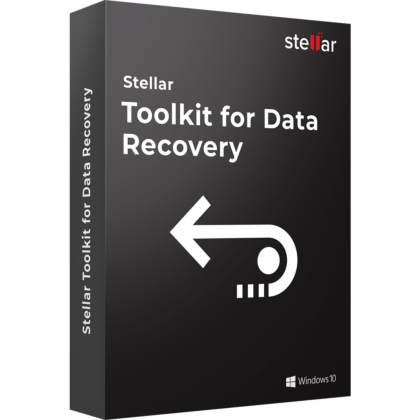
What are the main features and advantages of Stellar Data Recovery Toolkit?
Multi OS – Recovers data from Windows, Mac, and Linux.
Deep Recovery – Restores deleted files from damaged storage media.
Raid Support – Handles complex RAID and virtual drive recovery.
File Preview – Lets you verify recoverable data before saving.
Broad Coverage – Supports documents, photos, videos, emails, and archives.
Digital Reliability – Supports long-term recovery readiness across mixed environments.
Download: Stellar Data Recovery Toolkit
Cross-platform recovery – Recovers data from Windows, Mac, and Linux.
RAID support – Rebuilds inaccessible RAID volumes for file recovery.
Virtual disks – Recovers VMDK, VDI, VHD, and VHDX.
Partition recovery – Finds lost or deleted partitions safely.
Disk imaging – Creates drive images for safer recovery work.
Core Capacity – Supports NTFS, FAT, exFAT, APFS, HFS+, Ext2, Ext3, and Ext4.
Stellar Data Recovery Toolkit is a backup and recovery suite for recovering lost data from Windows, macOS, Linux, RAID, NAS, and virtual disk storage. It is designed for broader recovery work than a standard deleted-file tool, especially when partitions, arrays, or mixed-platform media are involved.
Wider coverage – Handles more storage scenarios than basic tools.
Safer process – Uses disk images for controlled recovery.
Platform range – Works with Windows, Mac, and Linux file systems.
Advanced recovery – Supports RAID and virtual disk reconstruction.
Flexible scanning – Helps recover from formatted or corrupted volumes.
Preview support – Lets users inspect recoverable data first.
The Windows and MacOS editions focus on different host environments and recovery workflows.
Windows edition emphasizes RAID, NAS, virtual disk, and multi-file-system recovery.
MacOS edition focuses on Mac storage recovery and crashed or non-booting Mac scenarios.
Both editions support deleted, formatted, and inaccessible storage recovery.
Choose based on the operating system where the recovery work will be performed.
| Feature | Stellar Toolkit Windows | Stellar Toolkit MacOS |
| Windows media | ✓ | – |
| Mac recovery | ✓ | ✓ |
| Linux recovery | ✓ | – |
| RAID recovery | ✓ | – |
| Non-booting Mac | – | ✓ |
| Virtual disks | ✓ | – |
Yes, the Windows toolkit is designed to recover deleted data from RAID arrays and Synology NAS storage.
Can rebuild inaccessible RAID volumes for recovery.
Supports RAID 0, RAID 5, and RAID 6 recovery workflows.
Can construct a virtual RAID when direct rebuild is not feasible.
Useful for business storage and array-based recovery cases.
Yes, the Windows toolkit supports recovery from common virtual disk file formats.
Supports VMDK, VDI, VHD, and VHDX files.
Useful for VMware, VirtualBox, Hyper-V, and Windows disk images.
Fits recovery after VM corruption, deletion, or shutdown issues.
Yes, it includes partition recovery and can scan unrecognized storage that is still detected by the system.
Finds lost or deleted partitions through storage scanning.
Supports deeper partition discovery when the drive structure is damaged.
Can recover from unrecognized storage if the device is listed.
Yes, it can create an image of a selected drive or volume before recovery begins.
Reduces risk when the source volume is unstable.
Lets users scan the image instead of the original media.
Useful for formatted or corrupt storage recovery workflows.
Stellar Toolkit is positioned for broader recovery scenarios that go beyond standard deleted-file recovery.
Adds RAID, NAS, partition, and virtual disk recovery features.
Handles Windows, Mac, and Linux file systems in one toolkit.
Better suited when recovery scope includes mixed platforms or arrays.
EaseUS is more often positioned as a simpler general recovery tool.
Both tools target file recovery, but Stellar Toolkit emphasizes more infrastructure-oriented recovery tasks.
Stellar publishes RAID reconstruction and virtual RAID support.
Stellar also supports virtual disk recovery from major VM formats.
Better fit when storage complexity is higher than a typical desktop case.
Recoverit is more commonly framed around consumer media recovery.
No, it is a data recovery toolkit and not a full system image restore or bare-metal deployment platform.
No complete OS reinstallation restore engine is described.
No dissimilar-hardware recovery workflow is listed.
Focus stays on file, partition, RAID, and storage-level recovery.
Best suited for extracting data, not rebuilding an entire machine.
"It handled a more complicated recovery job than a basic undelete tool and saved a lot of time."
"The RAID recovery workflow was easier to follow than I expected for a damaged array."
"Being able to image the drive first made the recovery process feel much safer."
"It was useful to have Windows, Mac, and Linux file system support in one toolkit."
"The virtual disk recovery option helped recover files from a failed VM without extra tools."
Instant delivery - Product keys and downloads available within minutes.
Activation guarantee - If activation fails, you receive a new key.
Download included - Secure official download link always provided after purchase.
Easy installation - Clear step-by-step instructions guide you through setup.
Genuine licenses - Product keys from audited, legally compliant distribution channels.
Multilingual support - Help in seven languages via chat, email, phone.
Easy exchanges - Problematic keys replaced quickly, without unnecessary bureaucracy.
Transparent pricing - No hidden fees. Fair prices and price plans to get even better prices.
Trusted seller - Top rated on Trustpilot.
Système d'exploitation: Windows 11 / 10 / 8.1 / 8 (64 bits uniquement)
Windows Server: Windows Server 2022 / 2019 / 2016
Processeur (CPU): compatible Intel (processeur x64)
Mémoire (RAM): 4 Go minimum (8 Go recommandés)
Espace disque: 250 Mo d'espace libre
Affichage: résolution de 1024 × 768 ou supérieure
Internet: requis pour le téléchargement, l'installation, l'activation et les mises à jour
Langues prises en charge: anglais, allemand, français, portugais brésilien, néerlandais, italien, espagnol, japonais, coréen, hindi, chinois
Système d'exploitation : macOS 12 / 11 / 10.15 / 10.14 / 10.13 / 10.12 / 10.11
Processeur (CPU): compatible Intel (x86 ou x64)
Mémoire (RAM): 4 Go minimum (8 Go recommandés)
Espace disque: 250 Mo d'espace libre
Affichage: résolution de 1024 × 768 ou supérieure
Internet: requis pour le téléchargement, l'installation, l'activation et les mises à jour