This is a demo store. No orders will be fulfilled.
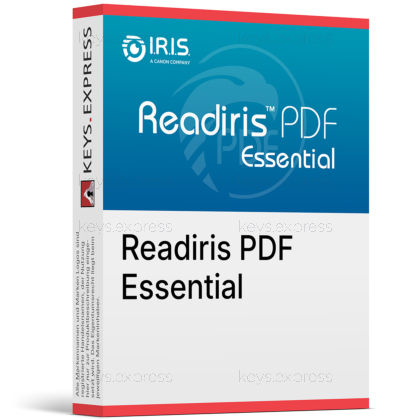
What are the main features and productivity benefits of Readiris PDF Essential?
Smart OCR – Converts scans into searchable, editable text with precision.
Seamless Editing – Edits PDF content quickly for everyday document tasks.
Format Control – Preserves layout during conversion and file reuse.
Document Security – Protects sensitive content with secure PDF tools.
Batch Processing – Processes multiple files faster for smoother workflows.
Professional Standards – Advanced tools keep documents polished and dependable.
Download: Readiris PDF Essential

AI OCR – Converts scans into searchable editable text quickly.
PDF Editing – Edit annotate merge split and organize PDFs.
Office Export – Converts PDFs into Word Excel and PowerPoint.
eSign Tools – Protects documents and adds PDF signatures.
Batch Conversion – Processes multiple documents in one streamlined workflow.
Document Capacity – Supports 138 OCR languages and PDF/A conversion.
Readiris PDF Essential is a desktop PDF and OCR solution for converting, editing, securing, and organizing documents in one place. It is built for users who need reliable OCR, smooth Office export, and practical everyday PDF workflow tools.

Fast OCR – Turns scans into editable searchable files quickly.
Clean Exports – Preserves layout tables and columns very well.
Simple Editing – Adjust text pages comments and annotations easily.
Better Workflows – Handles repetitive document tasks with less effort.
Safer Files – Adds protection and signing for shared PDFs.
Everyday Control – Combines key PDF tools in one app.
Yes, Readiris PDF Essential is designed for accurate OCR on scanned and image-based documents.

Supports OCR in 138 languages.
Vendor states up to 99.8% accuracy.
Creates searchable and editable file outputs.
Supports automatic language detection.
Includes zonal OCR for selected areas.
Conversion quality is strong for office documents because layout, tables, and columns are preserved better than in basic PDF tools.
Exports to Word Excel and PowerPoint.
Retains layout and column flow well.
Extracts tables directly into Word or Excel.
Works with scanned and text PDFs.
Keeps numeric formatting more reliably.
Both editions cover OCR, editing, conversion, and forms, while Elite is commonly positioned with broader workflow and advanced productivity features in retail comparisons.
| Feature | Readiris PDF Essential | Readiris PDF Elite |

|---|---|---|
| OCR 138 Lang. | ✓ | ✓ |
| Word / Excel | ✓ | ✓ |
| Batch OCR | ✓ | ✓ |
| Cloud Export | ✓ | ✓ |
| PDF/A Tools | ✓ | ✓ |
| Advanced Forms | – | ✓ |
| Redaction | – | ✓ |
It includes PDF protection and signing tools, but the official product materials do not clearly confirm formal eIDAS or ESIGN certification.
Supports PDF signing workflows.
Includes document protection features.
Useful for internal approval tasks.
Formal legal certification is not clearly stated.
Verify regulated use cases separately.
It clearly supports batch processing, PDF/A workflows, and form filling, while advanced redaction and deeper forms automation are typically associated with higher editions.
Batch document conversion is included.
Converts documents to PDF and PDF/A.
Fills PDF forms directly.
Supports searchable archive workflows.
Advanced redaction is not clearly emphasized.
Readiris PDF Essential is strongest for desktop OCR and conversion value, while Adobe, Foxit, and Kofax usually offer broader collaboration or enterprise document ecosystems.

Readiris focuses on OCR and file conversion.
Adobe emphasizes cloud review workflows.
Foxit highlights collaboration and admin features.
Kofax targets enterprise document control.
Readiris stays efficient for local processing.
Its strengths are OCR and practical PDF work, but some advanced compliance and workflow tools are lighter than in broader enterprise PDF platforms.
Formal eIDAS or ESIGN certification is not clearly stated.
Advanced redaction is not strongly highlighted.
Collaboration tools are lighter than Adobe cloud services.
Deep enterprise automation is more limited.
Best suited to desktop-first document workflows.
"The OCR is fast and accurate enough that I can finally stop retyping scanned documents."
"PDF to Word conversion kept more of the original layout than I expected."
"I like having editing, OCR, and batch conversion in one straightforward desktop tool."
"It made organizing and digitizing piles of documents much easier for everyday work."
"For regular PDF tasks, it feels practical, reliable, and pleasantly uncomplicated."
Instant delivery - Product keys and downloads available within minutes.
Activation guarantee - If activation fails, you receive a new key.
Download included - Secure official download link always provided after purchase.
Easy installation - Clear step-by-step instructions guide you through setup.
Genuine licenses - Product keys from audited, legally compliant distribution channels.
Multilingual support - Help in seven languages via chat, email, phone.
Easy exchanges - Problematic keys replaced quickly, without unnecessary bureaucracy.
Transparent pricing - No hidden fees. Fair prices and price plans to get even better prices.
Trusted seller - Top rated on Trustpilot.