Dies ist ein Demo-Shop. Bestellungen werden nicht ausgeführt.

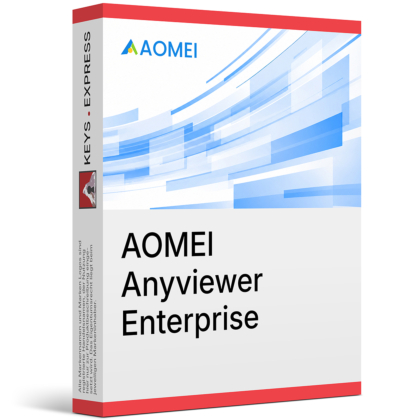
Download: AOMEI Anyviewer Enterprise
Remote Access – Controls unattended computers through secure remote sessions.
File Transfer – Moves files and folders with encrypted transfer.
Screen Wall – Monitors multiple remote devices in one view.
Mass Deployment – Deploys clients through MSI and Group Policy.
Role Control – Assigns custom permissions for team management.
Performance Metric – Supports up to 60 FPS remote sessions.
AOMEI Anyviewer Enterprise is a remote access and remote support platform for business environments. It combines unattended access, centralized administration, deployment tools, and team permission controls in one remote desktop solution.
Central Management – Controls remote access policies from one console.
Fast Support – Resolves endpoint issues without onsite intervention.
Secure Access – Protects sessions with strong ECC encryption.
Team Control – Separates roles and permissions for administrators.
Wide Compatibility – Supports Windows, macOS, iOS, and Android.
Efficient Deployment – Rolls out clients across domains with MSI.
It connects remote computers through a managed account and permission-based access model.
Supports unattended access with one-click control or security code.
Lets admins manage team devices from a central dashboard.
Allows support sessions in separate windows for parallel work.
Uses global servers for remote connections across locations.
Yes, it is designed with encrypted sessions and access control features.
Uses 256-bit ECC encryption for remote sessions.
Supports blacklist and whitelist access rules.
Allows custom role permission management for teams.
Improves control over who can reach remote endpoints.
AnyViewer is offered in Solo, Team, and Enterprise editions with different management depth.
| Feature | AnyViewer Solo | AnyViewer Team | AnyViewer Enterprise |
| Unattended access | ✓ | ✓ | ✓ |
| Screen wall | – | ✓ | ✓ |
| Mass deployment | – | – | ✓ |
| Role permissions | – | – | ✓ |
| Separate windows | – | ✓ | ✓ |
It includes the main tools needed for business remote support workflows.
Remote file transfer for moving documents and packages.
Separate session windows for handling multiple endpoints.
Screen wall for device monitoring and quick issue spotting.
Mobile apps for access from iPhone, iPad, and Android.
It is focused on remote access and support rather than full endpoint management suites.
Best suited to remote control, support, and access workflows.
Does not replace backup or endpoint security platforms.
Some advanced business controls are specific to Enterprise tier.
Mass deployment is designed for domain-based Windows environments.
It is built for stable remote sessions with centralized team controls.
Uses low-latency remote access architecture.
Supports ultra-high image quality and true color display.
Maintains remote connections through global servers.
Fits business support, remote work, and device administration.
"The interface is straightforward and easy to work with."
"It is a cost-effective option for basic remote access work."
"File transfer and multi-window support make support sessions easier to handle."
Instant delivery - Product keys and downloads available within minutes.
Activation guarantee - If activation fails, you receive a new key.
Download included - Secure official download link always provided after purchase.
Easy installation - Clear step-by-step instructions guide you through setup.
Genuine licenses - Product keys from audited, legally compliant distribution channels.
Multilingual support - Help in seven languages via chat, email, phone.
Easy exchanges - Problematic keys replaced quickly, without unnecessary bureaucracy.
Transparent pricing - No hidden fees. Fair prices and price plans to get even better prices.
Trusted seller - Top rated on Trustpilot.
Betriebssystem: Windows 11 / 10 / 8.1 / 8 / 7 (alle Editionen)
Windows Server: Windows Server 2022 / 2019 / 2016 / 2012 R2 (alle Editionen)
Prozessor: Mindestens 1 GHz oder schneller (x86 / x64)
Arbeitsspeicher (RAM): Mindestens 512 MB (1 GB oder mehr empfohlen)
Speicherplatz: Mindestens 100 MB freier Festplattenspeicher
Grafikkarte: Standard-GPU mit Unterstützung für aktuelle Grafikstandards
Bildschirmauflösung: Mindestens 1024 × 768 (empfohlen)
Internet: Für Fernzugriff, Aktivierung und Updates ist eine zuverlässige Internetverbindung erforderlich.